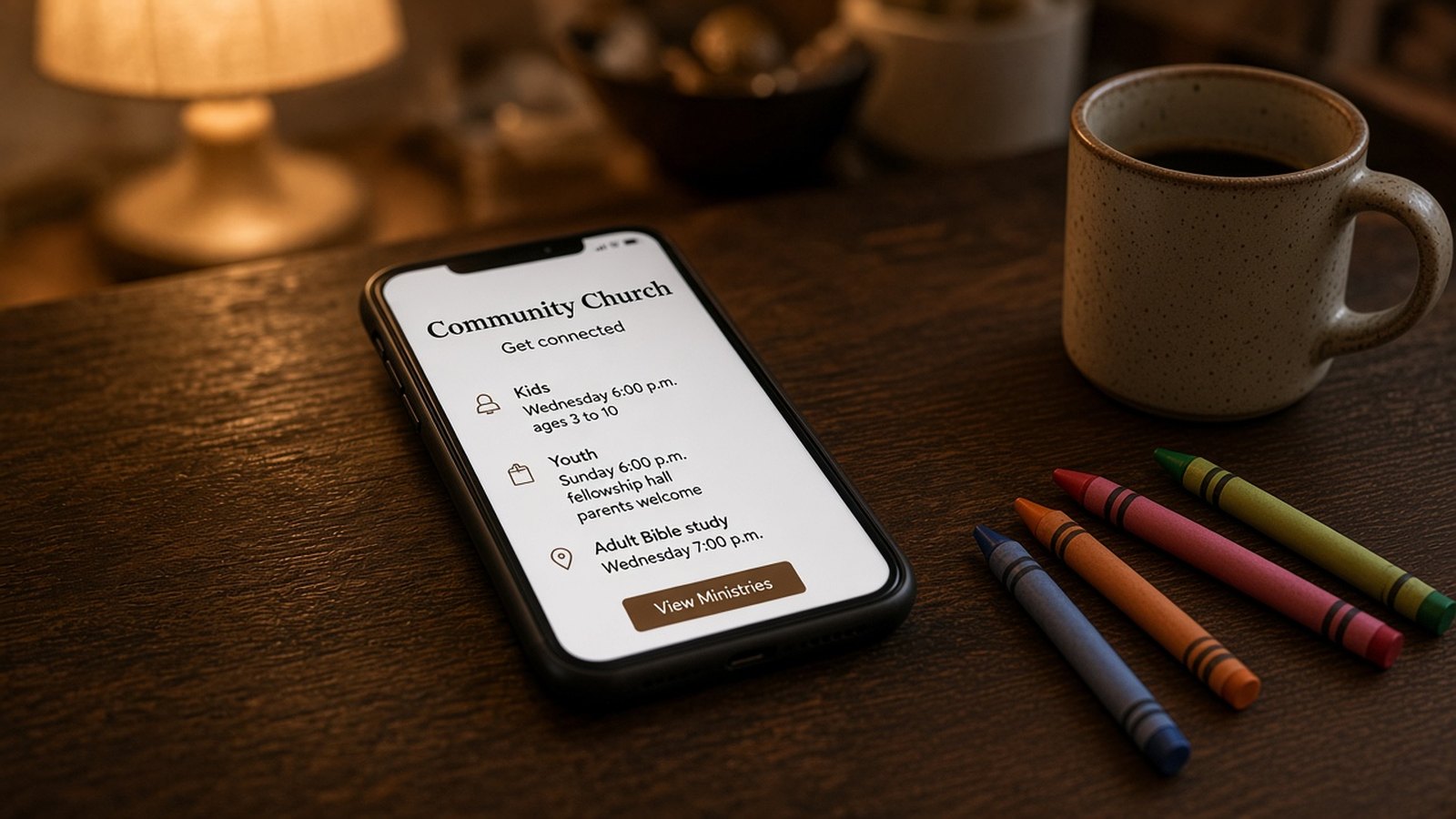
A first-time guest usually decides whether to visit by checking service times and the address. Whether they come back often depends on a different question: is there a place for me here? For my kids? For someone my age?
Ministry pages answer that question. They are one of the four pages we build into every Journey Digital church website, alongside service times, sermon archives, and a plan-a-visit page. Here is what a ministry page is, why it matters, and how to check whether your own site already does the job.
What a ministry page is
A ministry page shows the work your church does during the week, in a way someone outside the church can understand. Kids, youth, women's and men's groups, Bible studies, choir, food pantry, nursing home visits: whatever is actually happening.
On the sites we build, each ministry gets a short, plain section (or its own page, if there is enough to say) that answers the same handful of questions:
- What it is: one or two sentences in everyday words. "Wednesday night Bible study for adults" beats a ministry name only insiders recognize.
- Who it's for: ages, stage of life, or "everyone welcome."
- When and where: the day, the time, and the room or address.
- What to expect the first time: do I need a book? Is there a meal? Can I just show up?
- Who to ask: a first name and a simple way to reach the church, not a personal cell number posted for the whole internet.
The ministry pages are linked from the main menu and the homepage, usually under a plain label like "Get connected," so a guest on a phone can reach them in one or two taps.
Why it matters to a small church
Small churches often have more going on than their website shows. The Tuesday prayer group, the men's breakfast, the ladies who make meals for new parents: these are often the warmest parts of the church, and they are almost always invisible online. Members know about them from the bulletin and from word of mouth. A guest has neither.
A small church also can't count on a large staff to make introductions. A clear ministry page does some of that work ahead of time. When a visitor reads "Our youth meet Sunday nights at 6 in the fellowship hall. Parents are welcome to stay," they can picture taking the next step before anyone has to remember to invite them.
There's a practical side too. People tend to scan web pages rather than read them word by word. In Nielsen Norman Group's long-running studies of how people read online, most test users scanned new pages, picking out individual words and sentences (How Users Read on the Web). A ministry page with a clear heading, a day and a time can be scanned in seconds. A paragraph of church vocabulary often can't.
Why it matters to a first-time guest
Think about who is looking. A young mother wondering whether there is anything for her toddler on a weeknight. A widower who has just moved to town and wants a group of men his age. A teenager whose friend invited them to youth group and who wants to know what they are walking into.
Each of them is asking a quiet question: will I fit? The ministry page is where the website gets to answer, "Yes, here's where, and here's when." Without it, the guest has to call the church office or show up unsure, and many simply won't.
A fifteen-minute self-check
You don't need any technical skill for this. Grab a phone and, if you can, someone who doesn't attend your church.
- Find it from the homepage. Open your church website on a phone. Without searching, try to reach information about kids, youth, or small groups. Count the taps. More than two, or a dead end, is worth fixing.
- Read the menu label. Would a stranger know that "Connect," "Ministries," or "Get involved" leads to groups and classes? A plain label usually wins over a clever one.
- Pick three ministries and check the basics. For each, can you find what it is, who it's for, the day, the time, and where it meets? Write down anything missing.
- Check the dates. Look for last year's schedule, an event that already happened, or a leader who has stepped down. Old information tells a guest the page isn't looked after.
- Look for a next step. Does each ministry tell a newcomer what to do: just show up, bring something, or reach out first? Is there a way to contact the church that doesn't require a personal phone number?
- Read it as an outsider. Circle any word a newcomer might not know: an acronym, a nickname for a group, or a room name like "the annex." Replace it or explain it.
- Check the links. Tap every link and button on the ministry pages. Links should say where they go ("See youth schedule," not "Click here"), which also helps people using screen readers. The W3C's accessibility guidelines cover this under Link Purpose.
- Ask your outsider one question. "If you came to visit, is there something here you'd try?" Their answer will tell you more than any checklist.
If you find gaps, start small. One accurate, current paragraph for each active ministry is better than a dozen pages nobody updates. Pick one person to own the page, and set a reminder to review it each season.
Where Journey Digital fits
We are a small, owner-run church web studio in Wilson, NC. Ministry pages are part of every church website we build, written in plain language and laid out for a phone first. Your staff gets a simple guide for keeping times and events current without calling us.
If you'd like a second set of eyes on how your ministries come across online, we'd be glad to hear from you.